


LEGO® DUPLO® Marvel
4.3398.00 Reviews
App Specs
- Version
- 22.3.3
- Updated On
- License
- Free
- Downloads
- 10,000,000+
- Developer
- StoryToys
- Categories
- Education
- Platform
- Android, iOS
Screenshots
 Analysis by AppCompare
I’d decide whether to try this app based on one practical question: will your child enjoy guided superhero play on a phone or tablet, and can you be nearby when the connection or an in-app purchase becomes relevant? LEGO® DUPLO® Marvel is aimed at young children, but the way it fits into a family’s routine matters as much as its characters. I found it easiest to think of it as a short, shared play activity rather than something to hand over automatically whenever a child is bored.
When the network becomes part of play
Connection can affect the experience around a children’s app, especially when a family is starting it for the first time or returning after a break. I recommend opening it at home before relying on it during a journey or appointment. That gives you a chance to see how it behaves on your device, let any initial setup finish, and check that the child can reach the content you expect without having to troubleshoot in a hurry.
I would not assume every activity is available without internet access. If you are planning to use it somewhere with weak reception, try the app in that setting before you promise it as a dependable distraction. This is a useful habit for any app you plan to use with a preschooler: a quick adult check beforehand is less stressful than trying to solve a loading problem while a child waits.
Short sessions work better than open-ended screen time
The app’s child-friendly presentation makes it a plausible choice for a brief activity while dinner is being prepared or during a quiet stretch at home. I would set expectations in advance: choose a suitable moment, sit with the child for the first few minutes, and agree when play will end. Young children can find it hard to stop in the middle of an appealing story, so a natural pause is a better stopping point than an abrupt device lock.
On a family outing, I would treat it as a backup rather than the whole plan. A phone’s small screen can make shared play awkward when several children are watching, and a tablet is easier for a parent and child to look at together. If your child is tired, easily overstimulated, or already spending a lot of time on screens, physical DUPLO® bricks, a picture book, or a simple conversation may be the better option.
What to do if play stalls
If an activity does not load or the app stops responding, I would first give it a moment and then check the device’s connection. If that does not help, close and reopen the app rather than repeatedly tapping the screen; rapid taps can confuse a young child and make it harder to tell whether anything has changed. Keep the device’s basic controls within reach so you can handle this without asking the child to navigate settings.
It is also worth checking the app before a child begins a session, particularly after a device or app update. The current version is 21.1, and the app runs on Android devices with version 6.0 or later. Those details are useful when deciding whether an older family device is suitable, but they do not guarantee that every device will feel equally responsive. If your phone is already slow or short on storage, test it yourself first.
Worth Reading Before You Choose

EA SPORTS FC Mobile 26 Is a Bigger Football Game, but It Takes Time

Flipboard Shows What News Apps Must Do Beyond the Feed

Switching to Android Auto Means Rethinking Your Driving Routine

Google Calendar Makes a Crowded Week Easier to Manage

Ludo King Makes the Most of the Minutes Between Plans

Baby Panda World Brings Quick Play to Modern Phones, but Its Game Library Feels Busy
Purchases, supervision, and expectations
The app is free to install, while optional in-app purchases range from $3.99 to $39.99 per item. I would check the purchase controls on the device before letting a child play alone, and explain simply that not every on-screen choice is something they can buy. This is especially helpful if a child tends to tap quickly or expects every character or activity to be immediately available.
StoryToys makes this educational app for everyone, though its child-focused style is most relevant to preschool families. It has a 4.2 average from around 55,000 ratings, and more than 10 million installs. Those figures suggest that many families have tried it, but they cannot tell you whether its particular pace, presentation, or purchase structure will suit your child. I would use the age rating as a starting point, not as a substitute for adult supervision.
Building Adventures with Favorite Superheroes
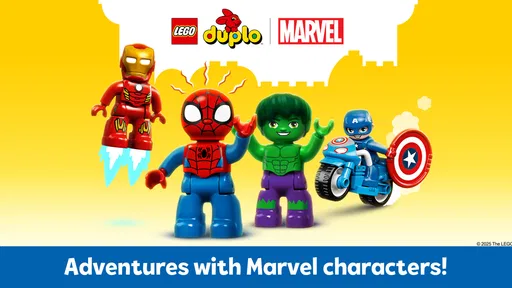
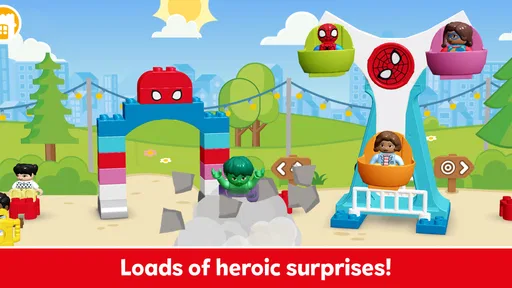
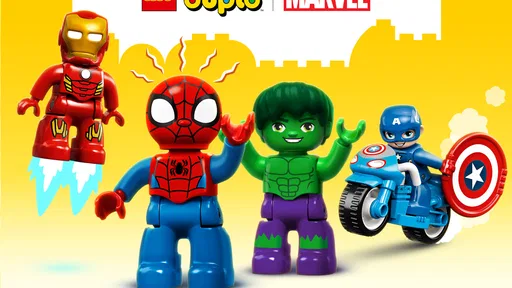
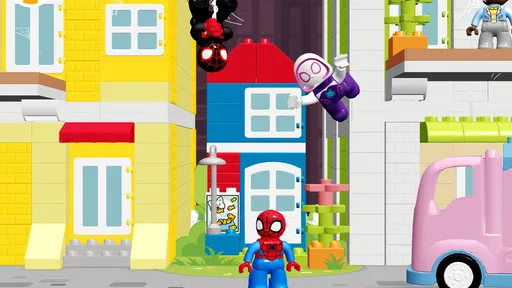
First off, the app revolves around the exciting world of Marvel superheroes, blended with the charm of LEGO® DUPLO®. Right from the start, kids can choose from beloved characters like Spider-Man, Iron Man, and Captain America. The app is designed for preschoolers, offering a safe and stimulating environment where they can explore and create.
The interface is user-friendly and intuitive. Even if your child is new to mobile games, they'll pick it up in no time. The animations are vivid and colorful, grabbing the attention of little eyes and keeping them engaged for longer periods.
Creative Play Meets Storytelling
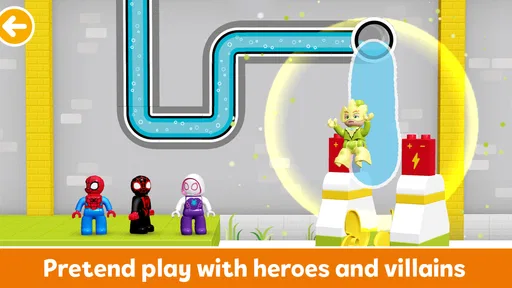
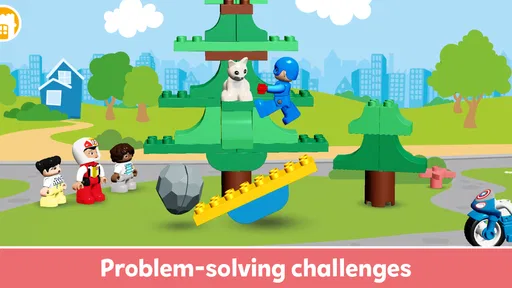
One of the standout features of LEGO® DUPLO® Marvel is its emphasis on storytelling. The app encourages kids to dive into mini-adventures, helping their favorite superheroes tackle challenges and save the day. Each story is designed to be interactive, allowing kids to decide how they want it to unfold. It’s a great way to nurture creativity and decision-making skills.
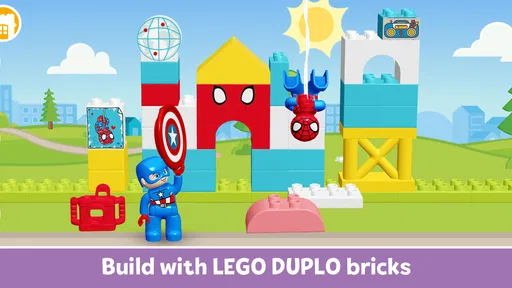
Building elements are integrated seamlessly into the app. Kids can assemble simple structures using virtual DUPLO® blocks. It’s just like playing with physical LEGO® pieces, but with the added thrill of being part of a superhero's mission!
Educational Value and Fun
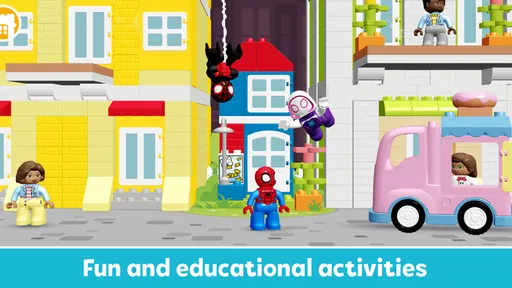
While it’s primarily a game, there’s a lot of learning packed into LEGO® DUPLO® Marvel. For starters, the app helps develop fine motor skills as kids interact with different elements on the screen. It also fosters problem-solving and critical thinking as they navigate various challenges alongside their superhero pals.
The sound effects and voiceovers are a nice touch, adding personality to each character and making the experience more immersive. Plus, the app is completely ad-free, which is a huge relief for parents who want a distraction-free environment for their children.
What Sets It Apart?
One thing that really impressed me is how the app manages to combine education and fun without feeling forced. Many educational apps can be a bit dry, but this one ensures that kids are learning while having an absolute blast. The combination of beloved Marvel characters and the creative freedom of LEGO® makes it a win-win.
The app also updates regularly, introducing new stories and characters. It keeps the content fresh and exciting, ensuring that kids have something new to look forward to every time they play.
Final Thoughts
In my opinion, LEGO® DUPLO® Marvel is a fantastic app for young children. It offers a perfect blend of entertainment and learning, wrapped up in an engaging package that kids will adore. Whether your child is a superhero fan or just loves building with LEGOs, this app will surely become a favorite in your household.
So, if you’re searching for an app that can keep your little ones entertained while stimulating their imagination, give LEGO® DUPLO® Marvel a try. It’s a delightful digital playground that offers endless hours of fun and learning!
Where it fits among children’s apps
Compared with alphabet drills, number games, or open-ended drawing tools, this is a character-led experience: the superhero setting gives a child an immediate reason to follow along, while virtual building adds a hands-on-feeling element. That makes it a better match for a child who already likes Marvel or DUPLO® than for one who wants to practise a particular school skill. I would choose a focused learning app if a specific lesson is the goal, and real bricks if the aim is more tactile, unhurried construction.
There is a useful middle ground for parents, too. You can let the child make choices in the story, then ask what they think should happen next or invite them to recreate a structure with physical blocks. That turns a short screen session into a prompt for conversation and play away from the device, rather than treating the app as a replacement for either.
A small routine that makes the app easier to use
For a realistic everyday example, I might bring it out while waiting for a meal at home, not at the last possible moment when everyone is already impatient. I would check the connection and purchase settings first, choose a calm place to sit together, and let the child explore one story before moving on to another activity. If the child gets stuck, I can help with the device instead of asking them to solve a technical problem they are too young to understand.
That routine also helps answer a common practical question: is it suitable for independent play? A child who is comfortable with simple touch controls may manage parts of it, but I would still stay close, especially at the beginning and wherever purchases might appear. The app’s accessible design is helpful; it does not remove the need for an adult to set boundaries and guide screen time.
Choosing it for the right child
I’d recommend giving it a try if your child enjoys superhero stories, responds well to colorful interactive scenes, and is happy to make choices rather than simply watch a video. It can also work for siblings taking turns, provided an adult helps them agree who gets to choose what happens. The shared storytelling gives a parent something to talk about with a child, which I value more than a game that only rewards repeated tapping.
I would skip it, or at least keep expectations modest, if your child dislikes Marvel characters, prefers physical construction, or becomes upset when screen time ends. It is also not my first pick for a parent seeking a structured lesson with clearly defined practice in reading or arithmetic. Its educational appeal is woven into play, so the benefit depends on the child engaging with the activities rather than on the app acting like a formal teaching session.
One practical trade-off to keep in mind
Virtual blocks are convenient: there is no loose piece to lose under the sofa, and the superhero context can make building feel purposeful. But a touchscreen cannot reproduce the weight, resistance, or open-ended rearranging of physical DUPLO® bricks. I see the two as companions, not substitutes. A child can enjoy the app on a trip and then build with real pieces at home, or use a story as inspiration for a construction made by hand.
Overall, the connectivity question is best handled with a little preparation rather than guesswork. Try the app on the device and network you plan to use, keep purchase controls in adult hands, and have a non-screen alternative ready for places where access is unreliable. For families whose children enjoy guided superhero play, that small amount of planning makes this a more dependable and pleasant option; for those who need a guaranteed offline activity or a focused academic tool, another choice will fit better.
Pros
- Engaging for young kids with Marvel themes.
- Easy controls for preschool-aged users.
- Supports creative play and learning.
- High-quality graphics and sound.
- No in-app ads for distraction-free play.
Cons
- Limited content may not sustain long-term interest.
- Requires internet connection for full features.
- Some users may find it too simplistic.
- In-app purchases can be a downside.
- Not suitable for older children seeking challenges.
FAQs for LEGO® DUPLO® Marvel
What is LEGO® DUPLO® Marvel, and who is it for?
LEGO® DUPLO® Marvel is an interactive app designed for young children, combining the creativity of LEGO with the excitement of Marvel superheroes. It's primarily aimed at toddlers and preschoolers, featuring intuitive controls and simple gameplay. Parents will find it a great educational tool to introduce their kids to problem-solving and storytelling.
What devices are compatible with LEGO® DUPLO® Marvel?
LEGO® DUPLO® Marvel is available on both Android and iOS platforms. It requires devices running on Android 5.0 and up or iOS 10.0 and later. Ensure your device meets these requirements for optimal performance and to take full advantage of the app’s features and graphics.
Is LEGO® DUPLO® Marvel a free app?
The app offers a free version with limited access to certain features and levels. However, for a full experience, in-app purchases are available that unlock additional content and characters. These purchases are optional, but they enhance the gameplay by providing more interactive stories and challenges.
Does LEGO® DUPLO® Marvel require internet access?
While some features of LEGO® DUPLO® Marvel may require an internet connection, the app is primarily designed for offline play. This is ideal for parents who want their children to enjoy the game on the go, without worrying about Wi-Fi or mobile data usage.
Are there any parental controls in LEGO® DUPLO® Marvel?
Yes, LEGO® DUPLO® Marvel includes parental controls to ensure a safe and secure gaming environment for children. These controls allow parents to manage in-app purchases and monitor their child’s activity. The app is designed with child safety in mind, providing peace of mind for parents.


